

Samsung eSIM & SIM Cards
Pick your model and get the correct Smartphone Plan with eSIM or SIM Card for your Samsung Smartphone
Samsung eSIM and SIM Card Plans
Switch to a low-cost Samsung eSIM or SIM Card plan from SpeedTalk Mobile and activate in minutes. Keep your Samsung smartphone, keep your number, and save hundreds per year with flexible, no-contract wireless service.
-
 Select options This product has multiple variants. The options may be chosen on the product page
 -
 Select options This product has multiple variants. The options may be chosen on the product page
 -
 Select options This product has multiple variants. The options may be chosen on the product page
 -
 Select options This product has multiple variants. The options may be chosen on the product page
 -
 Select options This product has multiple variants. The options may be chosen on the product page
 -
 Select options This product has multiple variants. The options may be chosen on the product page
 -
 Select options This product has multiple variants. The options may be chosen on the product page
 -
 Select options This product has multiple variants. The options may be chosen on the product page
 -
 Select options This product has multiple variants. The options may be chosen on the product page
 -
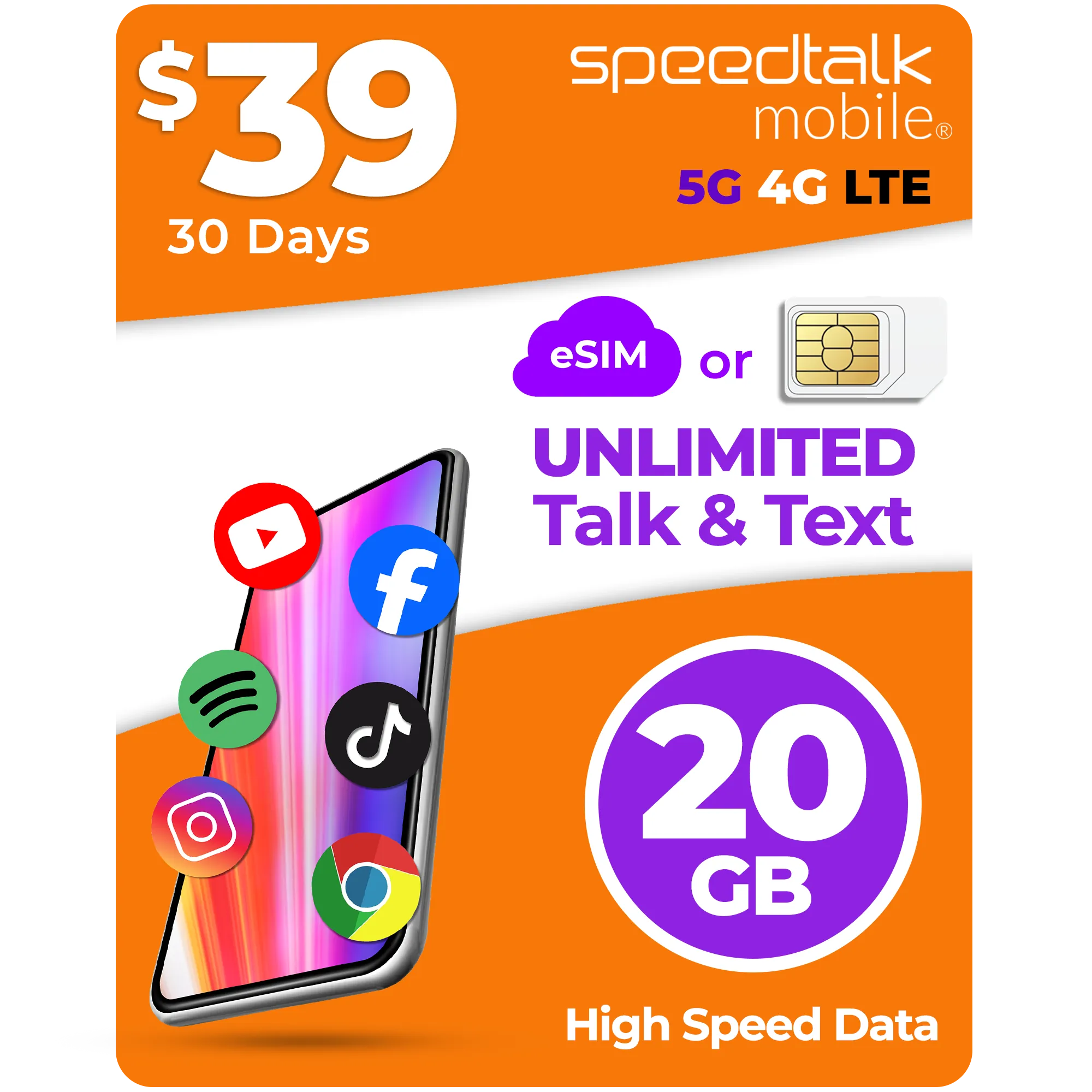 Select options This product has multiple variants. The options may be chosen on the product page
Latest Samsung Models (eSIM and SIM Card)
- Galaxy S20
- Galaxy S20 5G
- Galaxy S20+
- Galaxy S20+ 5G
- Galaxy S20 Ultra
- Galaxy S20 Ultra 5G
- Galaxy S21
- Galaxy S21+ 5G
- Galaxy S21 Ultra 5G
- Galaxy S22
- Galaxy S22+
- Galaxy S22 Ultra
- Galaxy S23
- Galaxy S23+
- Galaxy S23 Ultra
- Galaxy S23 FE
- Galaxy S24
- Galaxy S24+
- Galaxy S24 Ultra
- Galaxy S24 FE
- Galaxy S25
- Galaxy S25+
- Galaxy S25 Edge
- Galaxy S25 Ultra
- Galaxy S25 FE
- Galaxy Note 20
- Galaxy Note 20 5G
- Galaxy Note 20 Ultra
- Galaxy Note 20 Ultra 5G
- Galaxy Fold
- Galaxy Z Fold2 5G
- Galaxy Z Fold3 5G
- Galaxy Z Fold4
- Galaxy Z Fold5
- Galaxy Z Fold6
- Galaxy Z Fold7
- Galaxy Z Flip
- Galaxy Z Flip 5G
- Galaxy Z Flip3 5G
- Galaxy Z Flip4
- Galaxy Z Flip5
- Galaxy Z Flip6
- Galaxy Z Flip7
- Galaxy Z Flip7 FE
- Galaxy A35 5G
- Galaxy A36
- Galaxy A54 5G
- Galaxy A55 5G
- Galaxy A56
- Galaxy XCover7
- Galaxy XCover7 Pro
Older Samsung Models (only SIM Card)
- Galaxy S10e
- Galaxy S10
- Galaxy S10+
- Galaxy S10 Lite
- Galaxy S20 FE
- Galaxy S21 FE
- Galaxy A7
- Galaxy A8
- Galaxy A6
- Galaxy A50
- Galaxy A70
- Galaxy A80
- Galaxy A51
- Galaxy A71
- Galaxy A52
- Galaxy A72
- Galaxy A03
- Galaxy A13
- Galaxy A23
- Galaxy A33
- Galaxy A04
- Galaxy A14
- Galaxy A24
- Galaxy A05
- Galaxy A15
- Galaxy A25
- Galaxy A06
- Galaxy A16
- Galaxy J1
- Galaxy J2
- Galaxy J3
- Galaxy J5
- Galaxy J7
- Galaxy J2 Prime
- Galaxy J5 Prime
- Galaxy J7 Prime
- Galaxy J3
- Galaxy J2 Pro
- Galaxy J4
- Galaxy J6
- Galaxy J8
- Galaxy M10
- Galaxy M20
- Galaxy M30
- Galaxy M40
- Galaxy M11
- Galaxy M21
- Galaxy M31
- Galaxy M51
- Galaxy M12
- Galaxy M22
- Galaxy M32
- Galaxy M52
- Galaxy M13
- Galaxy M23
- Galaxy M33
- Galaxy M53
- Galaxy M14
- Galaxy M34
- Galaxy M54
- Galaxy M15
- Galaxy M35
- Galaxy M55
- Galaxy Note 7
- Galaxy Note 8
- Galaxy Note 9
- Galaxy Note 10
- Galaxy Note 10+
- Galaxy Note 10 Lite
Samsung Phone SIM Card Sizes
Find the right SIM Card size for your Samsung smartphone and connect today to the largest 5G/4G LTE Nationwide Network of United States.
| Brand | Model | SIM card size |
|---|---|---|
| Samsung | Ativ Odyssey I930 | micro-sim |
| Samsung | Ativ S | micro-sim |
| Samsung | C3312 Duos | mini-sim |
| Samsung | C3322 | mini-sim |
| Samsung | C3590 | mini-sim |
| Samsung | Champ C3300K | mini-sim |
| Samsung | Champ Neo Duos C3262 | mini-sim |
| Samsung | Corby II S3850 | mini-sim |
| Samsung | Galaxy 5 I5500 | mini-sim |
| Samsung | Galaxy A3 | nano-sim |
| Samsung | Galaxy A5 | nano-sim |
| Samsung | Galaxy Ace 2 I8160 | mini-sim |
| Samsung | Galaxy Ace 3 | micro-sim |
| Samsung | Galaxy Ace 4 | micro-sim |
| Samsung | Galaxy Ace Duos S6802 | mini-sim |
| Samsung | Galaxy Ace II X S7560M | mini-sim |
| Samsung | Galaxy Ace Plus S7500 | mini-sim |
| Samsung | Galaxy Ace S5830 | mini-sim |
| Samsung | Galaxy Ace S5830I | mini-sim |
| Samsung | Galaxy Alpha | nano-sim |
| Samsung | Galaxy Beam I8530 | mini-sim |
| Samsung | Galaxy Camera GC100 | micro-sim |
| Samsung | Galaxy Chat B5330 | mini-sim |
| Samsung | Galaxy Exhibit T599 | micro-sim |
| Samsung | Galaxy Express I437 | micro-sim |
| Samsung | Galaxy Express I8730 | micro-sim |
| Samsung | Galaxy Fame S6810 | mini-sim |
| Samsung | Galaxy Fit S5670 | mini-sim |
| Samsung | Galaxy Gio S5660 | mini-sim |
| Samsung | Galaxy Golden I9230 | micro-sim |
| Samsung | Galaxy Grand 2 | micro-sim |
| Samsung | Galaxy Grand I9080 | mini-sim |
| Samsung | Galaxy Grand I9082 | mini-sim |
| Samsung | Galaxy K zoom | micro-sim |
| Samsung | Galaxy Light | micro-sim |
| Samsung | Galaxy Mega 6.3 4G | micro-sim |
| Samsung | Galaxy mini 2 S6500 | mini-sim |
| Samsung | Galaxy Mini S5570 | mini-sim |
| Samsung | Galaxy Music Duos S6012 | mini-sim |
| Samsung | Galaxy Nexus I9250 | mini-sim |
| Samsung | Galaxy Note 2 4G | micro-sim |
| Samsung | Galaxy Note 3 | micro-sim |
| Samsung | Galaxy Note 4 | micro-sim |
| Samsung | Galaxy Note Edge | micro-sim |
| Samsung | Galaxy Note I717 | mini-sim |
| Samsung | Galaxy Note II CDMA | micro-sim |
| Samsung | Galaxy Note N7000 | mini-sim |
| Samsung | Galaxy Pocket Neo S5310 | micro-sim |
| Samsung | Galaxy Pocket plus S5301 | mini-sim |
| Samsung | Galaxy Pocket S5300 | mini-sim |
| Samsung | Galaxy Prevail 2 | mini-sim |
| Samsung | Galaxy Pro B7510 | mini-sim |
| Samsung | Galaxy S | mini-sim |
| Samsung | Galaxy S 4 | micro-sim |
| Samsung | Galaxy S 4 Zoom | micro-sim |
| Samsung | Galaxy S Advance I9070 | mini-sim |
| Samsung | Galaxy S Duos S7562 | mini-sim |
| Samsung | Galaxy S II HD LTE | micro-sim |
| Samsung | Galaxy S II plus | mini-sim |
| Samsung | Galaxy S II Skyrocket HD I757 | micro-sim |
| Samsung | Galaxy S III 4G | micro-sim |
| Samsung | Galaxy S Plus I9001 | mini-sim |
| Samsung | Galaxy S3 Mini | mini-sim |
| Samsung | Galaxy S4 4G+ | micro-sim |
| Samsung | Galaxy S4 4G+ Black Edition | micro-sim |
| Samsung | Galaxy S4 Active | micro-sim |
| Samsung | Galaxy S4 CDMA | micro-sim |
| Samsung | Galaxy S4 Mini | micro-sim |
| Samsung | Galaxy S5 | micro-sim |
| Samsung | Galaxy S5 Active | micro-sim |
| Samsung | Galaxy S5 mini | micro-sim |
| Samsung | Galaxy S6 Edge | nano |
| Samsung | Galaxy SL I9003 | mini-sim |
| Samsung | Galaxy Star Pro S7260 | micro-sim |
| Samsung | Galaxy Star S5280 | micro-sim |
| Samsung | Galaxy Stratosphere II I415 | micro-sim |
| Samsung | Galaxy Trend | mini-sim |
| Samsung | Galaxy Trend II (2) | mini-sim |
| Samsung | Galaxy Trend+ | mini-sim |
| Samsung | Galaxy W I8150 | mini-sim |
| Samsung | Galaxy Win I8550 | micro-sim |
| Samsung | Galaxy Xcover II | mini-sim |
| Samsung | Galaxy Xcover S5690 | mini-sim |
| Samsung | Galaxy Y Duos S6102 | mini-sim |
| Samsung | Galaxy Y Plus S5303 | mini-sim |
| Samsung | Galaxy Y Pro Duos B5512 | mini-sim |
| Samsung | Galaxy Y S5360 | mini-sim |
| Samsung | Galaxy Young | mini-sim |
| Samsung | Google Nexus S | mini-sim |
| Samsung | GT-C3595 | mini-sim |
| Samsung | Infuse 4G I997 | mini-sim |
| Samsung | Monte S5620 | mini-sim |
| Samsung | Pocket Duos S5302 | mini-sim |
| Samsung | Rex 60 C3312R | mini-sim |
| Samsung | Rex 70 S3802 | mini-sim |
| Samsung | Rex 80 S5222R | mini-sim |
| Samsung | Rex 90 S5292 | mini-sim |
| Samsung | S5230 Star | mini-sim |
| Samsung | S5610 | mini-sim |
| Samsung | Samsung Galaxy S II (2) | mini-sim |
| Samsung | Star 3 Duos S5222 | mini-sim |
| Samsung | Star Deluxe Duos S5292 | mini-sim |
| Samsung | Wave II S8530 | mini-sim |
| Samsung | Wave S8500 | mini-sim |
| Samsung | Wave Y S5380 | mini-sim |
We Guarantee That You Will Love All The Savings Or Your Money Back!
No Contracts! No Credit Checks! No Commitments!
If You Are Not 100% Satisfied With Saving Hundreds Per Year,
You Can Cancel At Any Time With Our Guarantee.
Why Make The Switch?
The cost of the average American cellphone bill for a single user.
Percentage of U.S.A. mobile consumers overpay for unlimited data wireless plans.
The average amount you can save by switching to a contract-free carrier like SpeedTalk Mobile
Why Choose Us
Dependable Wireless, And Affordable Service!
SpeedTalk Mobile®
5G/4G LTE NATIONWIDE NETWORK
You get premium wireless service on the nation’s largest 5G/4G LTE Network, for less than what big wireless companies charge
FLEXIBLE WIRELESS PLANS
Choose the monthly usage amount. That is right! If you are not using it, you can switch to a lower plan at anytime
BYOE (BRING YOUR OWN EVERYTHING)
Your unlocked device and current phone number are always welcome at SpeedTalk Mobile®
NO CONTRACTS!
NO COMMITMENTS!
There is never any contracts or commitments. Start and continue service when you want
Premium wireless, for a whole lot less!
SpeedTalk offers the most competitive subscription wireless service. Renewable prepaid plans for cell phones, smartwatches, GPS trackers, and more. No contract, no credit checks, and 100% money-back guaranteed.
Coverage you can count on!
Frequently Asked Speedtalk Mobile Questions
Is my phone compatible with SpeedTalk?
The following phones work with our service:
- Apple iPhone (all models)
- Samsung Phones
- Google Phones
- All 5G/4G LTE Smartphones and Cellphones
- All Smartphones and Cellphones purchased through T-Mobile
- All phones purchased through AT&T but they have to be unlocked
- Only 2016 and newer phones purchased through Verizon & Sprint
- Windows (most phones)
- Non-smartphones (all models)
Can I transfer my existing cell phone number?
The transfer process will take part once you have received a SIM card in the mail from SpeedTalk and ready to activate your service with us. We will ask you for your account # and password from your current carrier. Phone number must be active with the current carrier to ensure the transfer of your number to SpeedTalk network.
Keep in mind that there are exceptions to this rule, but it will never be because of SpeedTalk. Your phone will have to be in good standing with your current or past carrier. You will also have to purchase one of our plans first and you should start the transfer process with SpeedTalk prior to your cancellation with your current carrier. It’s very important that you do not cancel your account with your current carrier before the transferring process is completed.
If you currently do not have a phone number. SpeedTalk will generate one for you automatically, you just need to provide a zip code so we can issue a phone number based on that zip code. (It’s important to enter the zip code of the area where you will regularly use your device)
Can I cancel anytime?
Yes, you can. We are a combination of subscription and pre-paid plans.
Is this service a money back guaranteed?
We are a 100% money back guaranteed service. However, if you have consumed more than 30 minutes, 30 texts, or 30 MBs of data within 14 days of the plan cycle, your purchase will be considered buyer’s remorse and you will no longer qualify for a refund.
What is a SIM Card?
A SIM card is an integrated circuit intended to securely store the international mobile subscriber identity number and its related key, which are used to identify and authenticate subscribers on mobile telephony devices.
a SIM (Subscriber Identity Module) card is a tiny, portable memory chip that stores information about you as a cell phone user. On it, there’s a seventeen-digit code that designates its country code of origin, the system carrier (such as AT&T or Verizon), and a unique user ID.
You may wonder, “Who cares about this code?” A valid question and guess what: phone carriers do. It’s how they attribute cell phone bills and charge us.
Above all else, SIM cards are super handy because they can be easily transferred from one device to another. Just like in my opening story, all that you’d need to do is take it out of one phone and slip it into the new one. By making the switch, most (if not all) of your contacts and personal settings will transfer with it, making life all the easier.
SIM cards were introduced all the way back in 1991. The first SIM card was about the size of a credit card. Since then, there have been several updates and iterations, making them smaller and smaller.
This evolution closely aligns with the history of the GSM (Global System of Mobile Communications) mobile network. Developed to describe protocols for second generation (2G) (3G) (4G) AND (5G) cellular networks, the GSM today stands as the default global standard for mobile communications.
SIM cards are a crucial part of GSM networks, storing user information required for authentication. Ultimately, this allows both your phone to connect with a GSM network and GSM networks to track your phone usage (specifically, your minutes, texts, data usage, etc), giving carriers the information to send you an accurate phone bill.
GSM is the standard network in America, Europe, Asia, Africa, and most other places. Interestingly, besides GSM, the United States has an additional network called CDMA (Code Division Multiple Access) that is used by carriers such as Verizon and Sprint. Phones on the GSM or CDMA network can use any carrier’s network, lowering the costs for the carriers and its users.
When it comes to your phone’s connection with either network, SIM cards are essentially the brain of your device.
A SIM Card is a chip that all devices carry. The chip that communicates with our network.
Are there different types of sim cards?
There are four basic sizes of SIM card: the standard, the micro, nano, and esims.
Of the four, the Standard is the original SIM and the largest. Today, these are mainly used on older phones.
The Micro SIM card is essentially a standard SIM card with the extra plastic around the circuit board trimmed off.
A trimmed version of the Micro, the Nano is the smallest and used on today’s iPhones. Although minuscule compared to prior versions, the Nano still holds the same amount of data as earlier SIM cards.
Mini-SIM
When skimming the evolution of the SIM card, you likely noticed that they’ve become much smaller. But prior to the launch of the iPhone 4 in 2010, we really only had one SIM card size. Introduced in ‘96, it was the standard used in every phone and it made the GSM folks happy. Essentially, it was your entire phone on a card. It made things simple. If you wanted a new phone, all you’d need to do was take that SIM out, pop it into any phone and suddenly your phone number would be transferred to the new device. For over a decade, this was the standard, which made switching phones a breeze. Now? Not so much.
Micro-SIM
Enter Apple. Wanting to save precious room for its newest generation of smartphones, Apple switched from using the standard Mini-SIM to the Micro-SIM once the iPhone 4 hit shelves.
Surprisingly, the Micro-SIM wasn’t some new flashy SIM developed for the latest iPhone. Believe it or not, it was first introduced in 2003.
Back then, its purpose was clear: if a device was too small to fit a mini-SIM, you’d have to use the micro-SIM. In addition, the micro-SIM was designed for backward compatibility, meaning it can work with input generated by an older version of the SIM (such as the Mini-SIM).
In addition, despite its smaller size, the micro’s performance wasn’t impacted at all, as chip’s contact area remained the same. It turned out to be scaled down – the card only needed its excess plastic to be cut from it.
When Apple released the iPhone 4 with the micro-SIM, it became the standard for most smartphones. Samsung, Nokia, and HTC are just a few of the manufacturers that adopted the new Micro-SIM. During this time, several upgrading to the iPhone 4 opted to use an adapter to get their SIM cards cut down to Micro’s, as well.
Nano-SIM
If you thought Apple was done using smaller SIM cards, think again. Perhaps Apple was peeved they had to use a SIM card from 2003 on the shiny new iPhone 4. Maybe they just wanted to stay ahead of the curve and throw competitors off their trail.
In any case, the launch of the iPhone 5 prompted the public to realize there was a new SIM in town: the Nano-SIM. This choice to go small made life pretty difficult for users. Anyone upgrading to an iPhone 5 or switching from Android now had to get a new SIM card or an adapter.
Fortunately, most smartphones released since 2014 (both iOS and Android) now support Nano SIM card technology as the standard. Still, it’s sad to see a card that small take over, as it was always much easier changing phones with the Standard SIM compared to the Nano.
eSIM and Soft SIM
Now, where will the SIM card go in the future? Judging from the trend, it’ll likely be the size of a speck of dust, so insignificant that you wouldn’t even feel it in your hand.
No. I’m joking, that would be horrible. But get this: the next version of the SIM likely will be impossible to hold. That’s because it will be entirely virtual.
Cards like the eSIM and the Soft SIM are looking to be the next carnation of the SIM card we’ll see, a software “card” that carries all of the SIM’s original functions without any of the plastic or brass hardware bits.
One cool aspect of this new class of SIMs is that subscribers are able to switch operators easily, without swapping the physical SIM card. Given that this transfer is possible, maybe software-based cards are the answer when it comes to the hassles that came with switching phones over the years.
But despite its conveniences, the eSIM and soft SIM have their fair share of detractors. One potential risk that has been raised by networks regarding these SIMs is the issue of security. With hackings only becoming more prevalent, perhaps it’s hasty to lock all of a subscriber’s credentials and data into the OS of their device without building better cyber defenses against them.
It’s plausible that as the eSIM and Soft SIM are further developed, risks will be addressed until this version of the SIM overshadows the physical SIM, rendering it obsolete. In a way, it’s surprising that the SIM is only at this point of going digital now. As a product of the 1990’s, it’s amazing to consider the SIM card’s evolution, especially when compared to how fast other technologies of the era morphed and died out as newer solutions were innovated. As a link tying together the subscriber’s phone data with their network, the SIM card’s purpose has always been clear – but it will be interesting to watch what another two decades do for the future of this purpose and the SIM card itself.
How to Replace SIM Cards?
Inserting or removing a SIM card is an easy process once you determine where it is stored on your phone. Depending on the type of phone, it could be placed behind the battery. In that case, you will have to open the back panel. For other phones, the SIM cards can be found on the side of the phone.
Removing the SIM card is simple if you have the right tool. Depending on what kind of phone you have, you can easily pop it out of the slot with a paperclip or the edge of something like a credit card. There are some SIM cards that are in easier spots that can slide out with the tip of your finger.
Is installing the SIM card hard?
Not at all, it takes about ten seconds. Take a look at this example of someone placing a SIM card in a phone.
HOW-TO REPLACE A SIM CARD VIDEO
If you are not sure how to insert the SIM card, look up your phone manufacturer’s instructions online or watch a video on how to easily replace the card in the right slot.